Featured Post 6

text

Save the Murlocs

Saturday, October 9, 2010

Alienware m11x review


I started searching for a gaming laptop a few months ago and quickly discovered that there isn't a great deal to choose from. Even worse those that do exist are not cheap. Well this was a problem for me because I am cheap. I was determined to find a gaming machine under 1k dollars which I finally did. In the end after long research I decided to go with the Alienware m11x. So far I have been very happy with this small powerhouse. For $799 I didn’t expect it do as well as it has. My biggest concern was how it would run World of Warcraft and FPS’s. I was happy to see very decent frame rates at Ultra settings in WoW. At worst I’ll get 22fps in SW on a busy night and even that doesn’t last long after the area fully loads. I also installed the Modern Warfare 2 demo and it ran great at medium settings. I didn’t crank it up to see how far I could go before I started lagging but I’m sure it would have pushed much further with decent frame rates.
I purchased the Core 2 duo version of the m11x from Best Buy. There is now a second generation of the m11x available now with both i5 and i7 processors. However, you won’t be getting either of those models for $799 yet. Besides the processor change, the VGA port has been removed on the 2nd gens to add room for the faster processors. This isn’t really a big deal; however, if you’re planning to connect it to two external monitors this may pose a problem.  I’m not sure if you can run HDMI and Dell’s display port at the same time but if you can you may still be able to run your dual monitors. I haven’t tried multiple displays on mine yet but I have read that it can be done. I’m guessing however, that using the HDMI port will restrict the monitor connected to this port to a maximum of 1366x768. I may be totally wrong about this however. If anyone has tried this please post a comment below.
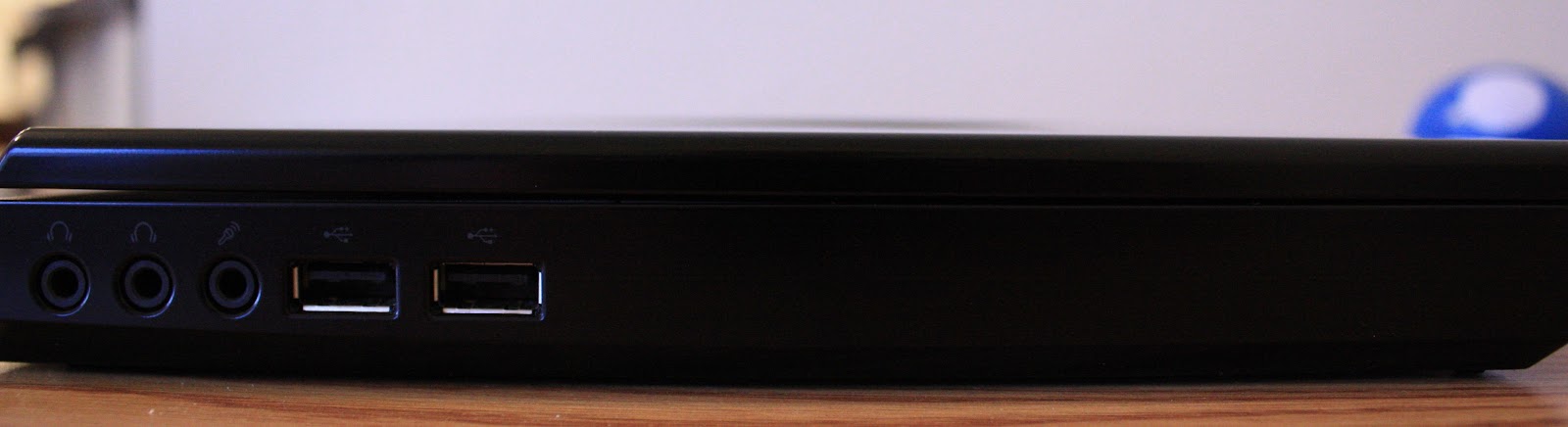
The m11x has two video cards which can be changed at any time by pressing FN + F6. This a cool feature because if you like to run on battery a lot you can flip over to the crappy Intel card to save battery life which is very good I might add. The other card is an NVIDIA GeForce GT 335M. The keyboard is illuminated and it’s much better than others I’ve seen. The colors can be changed and even set to pulse or morph slowly into multiple colors if you like. There are many options for color effects. I will point out that the color of the alien on the outside of the display cannot be change for the light comes from the backlight of the display unlike the 15 and 17 inches models which can be changed. There is also no illuminated ring around the track pad like that which is available on the larger models. Lastly the m11x has no optical drive but you can connect an external drive via USB.
Overall I have been very happy with this machine for the price. With 4GB of RAM and the 335M video card I’m able to play all the new games at medium settings or higher. I actually like the small size of the laptop which is a deal breaker for most people but if you don’t mind the 11.6 inch screen and being stuck with the 1366x768 resolution then I think you’ll be happy with it as well. You can always connect it to an external monitor if the screen starts to get to you. Remember though that a larger monitor will give you higher resolutions but your frame rates will suffer as you increase it. I haven’t purchased a monitor for it yet so I’m curious how it performs at higher resolutions so again if anyone has tried this please post it in the comments below. Also, if you are considering the m11x you may want to check amazon.com. When I bought mine they had it for the same price I paid for mine after tax at Best Buy with a larger HD. My impatience’s is what drove me to buy it at that store.

Available specs from Dell  

Specs from Best Buy (The machine I purchased)

Specs from Amazon
I think this may be a better deal because it has a larger HD and free shipping. Remember that Best Buy will hit you with tax which you may not have to pay on Amazon making it about the same price but with 320GB HD instead of the 250 you get from BB.

CNET review: http://reviews.cnet.com/laptops/alienware-m11x/4505-3121_7-33954404.html

Click the image below view the web album for photos:

Alienware blog post


Alienware m11x review

I started searching for a gaming laptop a few months ago and quickly discovered that there isn't a great deal to choose from. Even worse those that do exist are not cheap. Well this was a problem for me because I am cheap. I was determined to find a gaming machine under 1k dollars which I finally did. In the end after long research I decided to go with the Alienware m11x. So far I have been very happy this small powerhouse. For $799 I didn’t expect it do as well as it has. My biggest concern was how it would run World of Warcraft and FPS’s. I was happy to see very decent frame rates at Ultra settings in WoW. At worst I’ll get 22fps in SW on a busy night and even that doesn’t last long after the area fully loads. I also installed Modern Warfare 2 and it ran great at medium settings. I didn’t crank it up to see how far I could go before I started lagging but I’m sure it would have pushed much further with decent frame rates.
I purchased the Core 2 duo version of the m11x from Best Buy. There is now a second generation of the m11x available now with both i5 and i7 processors. However, you won’t be getting either of those models for $799 yet. Besides the processer change, the VGA port has been removed on the 2nd gens to add room for the faster processors. This isn’t really a big deal; however, if you’re planning to connect it to two external monitors this may pose a problem. I’m not sure if you can run HDMI and Dell’s display port at the same time but if you can you may still be able to run your dual monitors. I haven’t tried multiple displays on mine yet but I have read that it can be done. I’m guessing however, that using the HDMI port will restrict the monitor connected to this port to a maximum of 1366x768. I may be totally wrong about this however. If anyone has tried this please post a comment below.
The m11x has two video cards which can be changed at any time by pressing FN + F6. This a cool feature because if you like to run on battery a lot you can flip over to the crappy Intel card to save battery life which is very good I might add. The other card is an NVIDIA GeForce GT 335M. The keyboard is illuminated and it’s much better than others I’ve seen. The colors can be changed and even set to pulse or morph slowly into multiple colors if you like. There are many options for color effects. I will point out that the color of the alien on the outside of the display cannot be change for the light comes from the backlight of the display unlike the 15 and 17 inches models which can be changed. There is also no illuminated ring around the track pad like that which available on the larger models.
Overall I have been very happy with this machine for the price. With 4GB of RAM and the 330M video card I’m able to play all the new games at medium settings or higher. I actually like the small size of the laptop which is a deal breaker for most people but if you don’t mind the 11.6 inch screen and being stuck with the 1366x768 resolution then I think you’ll be happy with it as well. You can always connect it to an external monitor if the screen starts to get to you. Remember though that a larger monitor will give you higher resolutions but your frame rates will suffer as you increase it. I haven’t purchased a monitor for it yet so I’m curious how it performs at higher resolutions so again if anyone has tried this please post it in the comments below. Also, if you are considering the m11x you may want to check amazon.com. When I bought mine they had it for the same price I paid for mine after tax at Best Buy with a larger HD. My impatience’s is what drove me to buy it at that store.
Available specs from Dell http://configure.us.dell.com/dellstore/config.aspx?oc=dkcwmn1&c=us&l=en&s=dhs&cs=19&model_id=alienware-m11x
Specs from Best Buy (The machine I purchased)
http://www.bestbuy.com/site/Alienware+-+Laptop+/+Intel%26%23174%3B+Core%26%23153%3B2+Duo+Processor+/+11.6%22+Display+/+4GB+Memory+/+250GB+Hard+Drive+-+Cosmic+Black/9732759.p?id=1218162977578&skuId=9732759&st=m11x&cp=1&lp=1
Specs from Amazon
http://www.amazon.com/Alienware-AM11X-2894CSB-11-6-Inch-Laptop-Cosmic/dp/B003LPUYI4/ref=sr_1_1?ie=UTF8&qid=1286651043&sr=8-1
I think this may be a better deal because it has a larger HD and free shipping. Remember that Best Buy will hit you with tax which you may not have to pay on Amazon making it about the same price but with 320GB HD instead of the 250 you get from BB.
Below are some images and screenshots for you are still thinking about it.

Wednesday, September 15, 2010

PS3 Move Controller

PlayStation Move Second Opinions - PlayStation 3 Feature at IGN

Looks like the wii type controls have finally hit PS3. Check out the link to read more.


Tuesday, June 29, 2010

Switching from Windows to Ubuntu Linux

In the past I've used different Linux distributions but never found one that I could use in place of Windows for various reasons, drivers or whatever. However, over the last year the new distributions are much more friendly to us lazy Windows users. There's still a big learning curve but if you're willing to put a little time into it at first it will get much easier in the long term. When my Windows 7 Beta expired I decided to take the plunge to Ubuntu instead of paying for Windows (because I'm a cheap ass and don't like to spend money) and it's been several months now and I've been very happy so far. If you're new to Linux like me I suggest using Ubuntu because right now it appears to be the most popular and therefore you're more likely to find answers to your questions when you start searching Google.

If you're thinking about switching you may want to consider a few things first.

Who it's for:


Those who want to upgrade their operating system without spending any money.
You mostly use your computer to browse the Internet, listen to music, watch movies, or work with documents.
You really like to customize your desktop
You're willing to spend a little time learning a new OS


Who it's not for:

Serious gamers. Now that is not to say that you can't get your games to run on Linux it's just most games are written for Windows only and you'll have to use a program like Wine to get them to run. It takes some tweaking and playing around with the Wine configuration as well to get them to work. Even after that there's is no guarantee that it won't crash. I will say that I have World of Warcraft running on mine with few issues.

Those who have several programs that they work with such as audio recording software like Cakewalk or graphics programs like Photoshop. However, there are many open source programs written for Linux do that work perfectly well for most people. Gimp which is included with Ubuntu is a very popular open source alternative to Photoshop.

Corporate work environments. Though Open Office works well with Microsoft Office with respect to compatibility; it does not include an email client which works with Exchange. The only program that I have been able to find that works with Exchange server is Evolution and it's very buggy. Ubuntu does however have samba installed by default which enables Linux to access Windows network shares. So if you have a home server with all of your music and movies stored on it you'll be able to access your files with no problem.

Moving on to the install:

Sunday, June 6, 2010

Chemex Coffee Maker

I had never heard of the Chemex coffee maker before but after watching this I'll have to buy one and try it out. It looks like a lot more work than just using a traditional coffee maker but of course I'll have to try it. I'm always up for a better cup of coffee. However, I don't think I'll have the time to use this coffee maker at work. If anyone has one of these please post a comment and let me know what you think about it.


I found out about Tested's website through Revision3. If you haven't been to their site yet you can check it out by clicking here.

Wednesday, June 2, 2010

Court rules in Comcast's favor over the FCC's 'net neutrality' case

Sony PS3 3D Update Coming June 10

Sony PS3 3D Update Coming June 10

This sounds good but don't get to excited yet. You'll still need a 3D TV (still expensive), games designed for 3D, and Blu-ray 3D support will not be available until later in the year. However, the 3D thing seems to be taking off quite well and Sony being able to push this through an update without having to buy new hardware is awesome. 


yeah i have to throw a vid in here.

Sunday, March 21, 2010

Banned ... by Google

Sunday, March 14, 2010

2010: The Year of the Wii - Wii Feature at IGN

Video

Please visit technoobie.com

Please visit technoobie.com
tips, apps, and more

Featured Post 7

Featured Post 8

Blogger news

Blogger templates

Blogroll

Tekzilla (HD MP4)


Site Info

Revision3 Feed

TekLife :) Copyright © 2009 Community is Designed by Bie